All-in-One Fleet Management Software for Small and Mid-Size Businesses

Replace spreadsheets and paperwork with one simple cloud-based system. VeCost helps fleets track vehicle expenses, fuel consumption, services, reminders, on-site fuel tanks, inventory & parts, bookings, employees, and reports from one easy dashboard.

VeCost brings vehicle, fuel, employee access, and inventory management into one browser-based system available from any device.

Track every cost - from services to fuel

Keep reminders, bookings, and history organized

Control employee access with roles and permissions

Access everything, from anywhere - no local installation
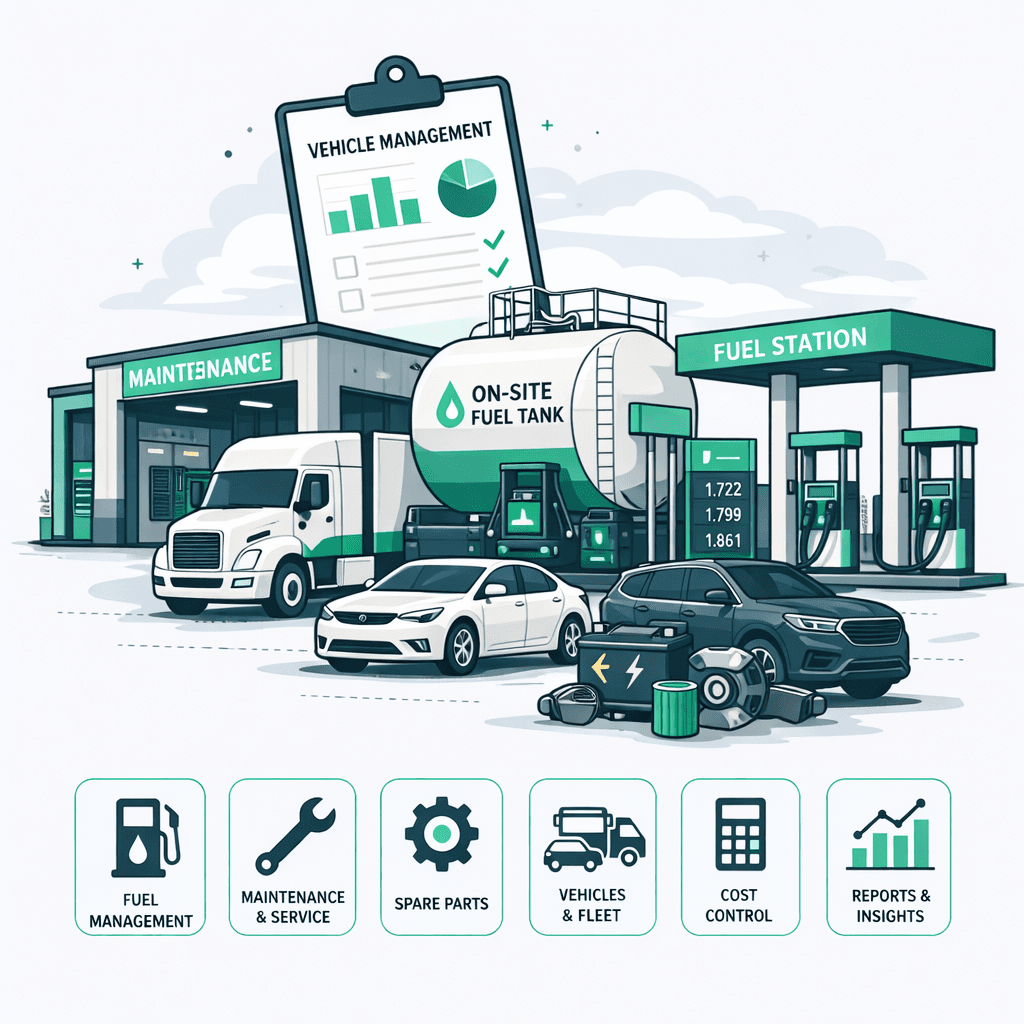
Fleet management software dashboard for vehicle costs, fuel and maintenance

Common fleet management problems, organized in one system

Many small and mid-sized businesses still manage vehicle expenses, fuel, services, reminders, bookings, employees, and parts across spreadsheets, messages, and paper notes. VeCost keeps those records structured under one company account so fleet managers can review costs, history, and responsibilities more easily.

Common operational gaps

  • Scattered records: Vehicle costs, services, and refuels are hard to review when they live in different places.
  • Missed reminders: Registration, service, or mileage tasks can be forgotten without a central reminder process.
  • Unclear shared vehicle usage: Teams need to know who reserved a vehicle, when it returns, and what was recorded on return.
  • Parts and fuel uncertainty: Managers need to know what entered inventory or tanks, what was used, and what remains.
  • Too much shared access: Employees should only see and manage the fleet areas that match their responsibilities.

How VeCost helps

  • Centralize vehicle history: Keep expenses, services, refuels, reminders, bookings, and reports tied to the company fleet.
  • Control operational modules: Add on-site Fuel Tank or Inventory & Parts when those workflows matter to your business.
  • Assign employee access: Give drivers, mechanics, accountants, and managers access to the work they need.
  • Review useful reports: Turn daily records into vehicle, cost, fuel, inventory, and history views that managers can act on.

Everything you need in fleet management software

VeCost brings vehicle expenses, maintenance records, fuel, reminders, reports, on-site fuel tank tracking, and Inventory & Parts into one company account so fleet operations are easier to manage.
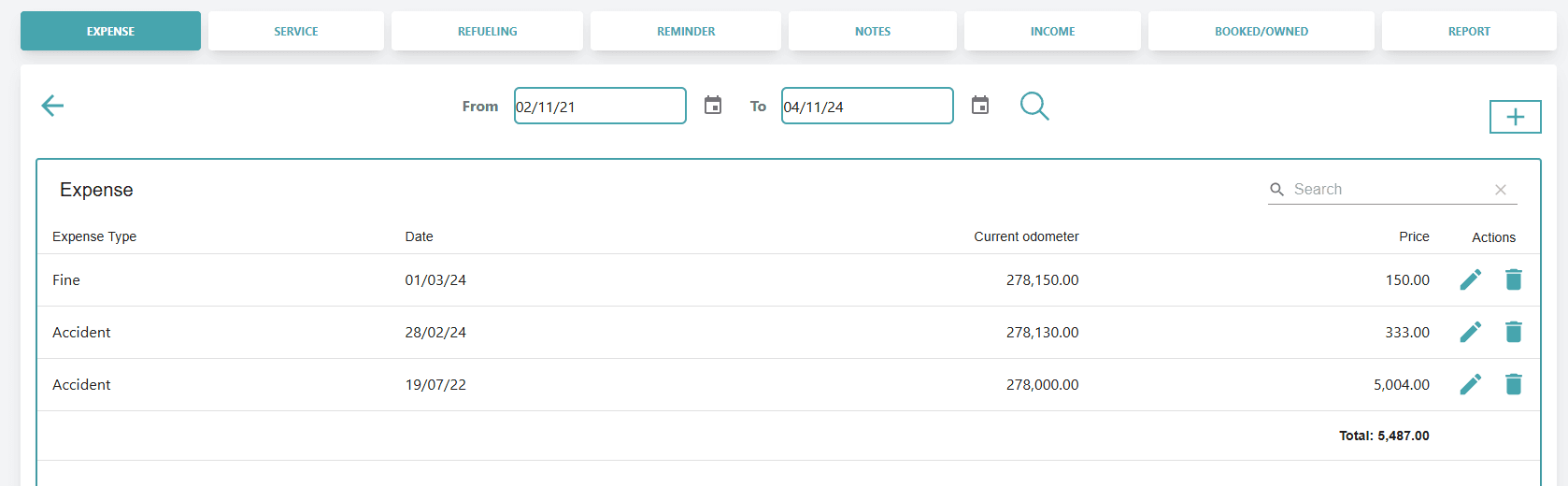
Vehicle expense tracking screen in VeCost

Track every vehicle expense with full visibility

Log fines, insurance, repairs, inspections, and other vehicle costs with odometer, price, and notes.
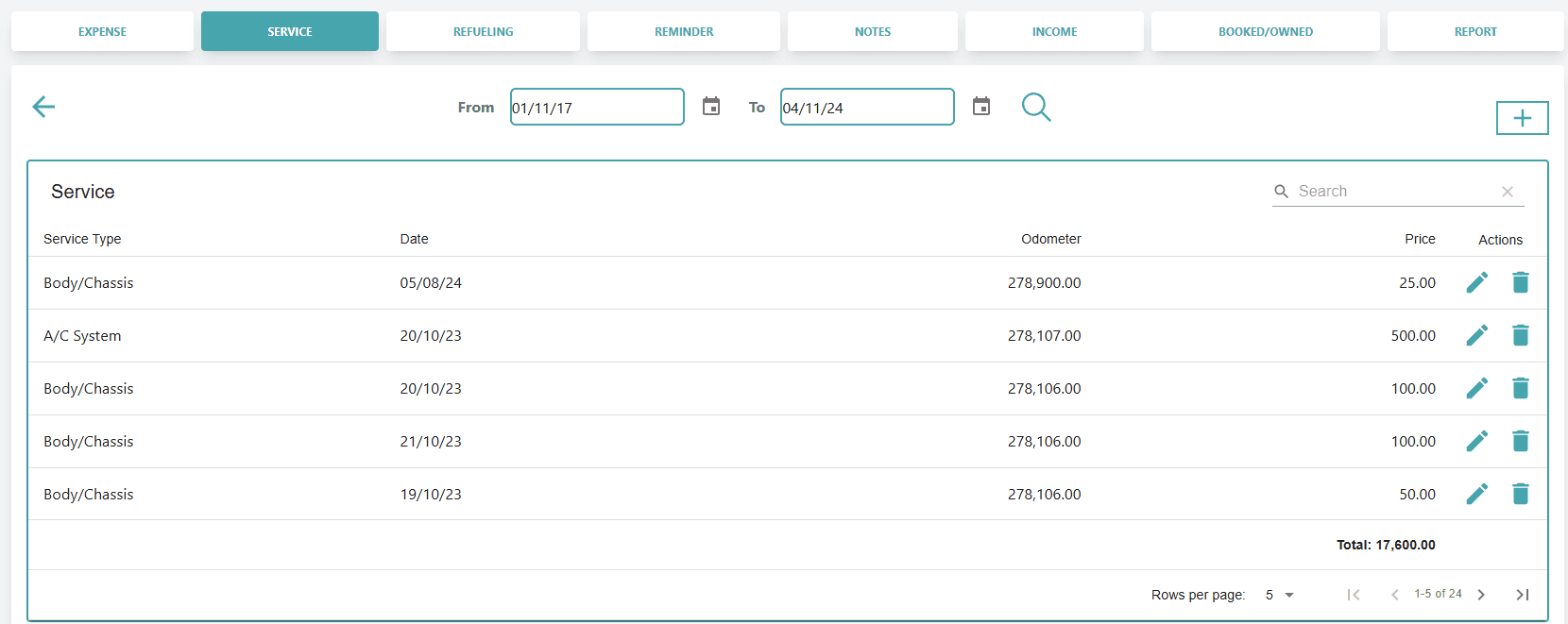
Vehicle service and maintenance tracking screen

Stay on top of vehicle maintenance

Log services with date, cost, odometer, and notes. Pull parts from inventory when that module is enabled.
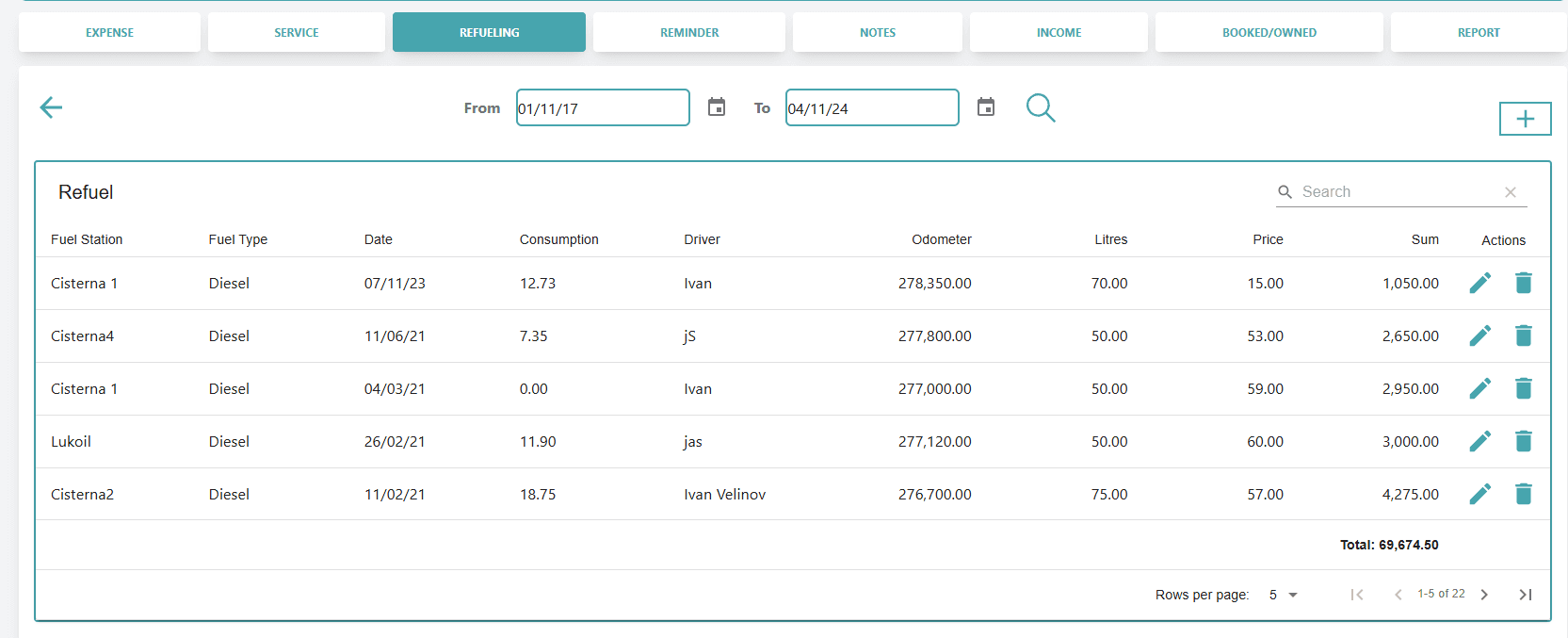
Fuel refueling tracking screen for vehicles

Log every refueling event

Track fuel-ups from stations or on-site tanks with quantity, cost, odometer, and vehicle consumption history.
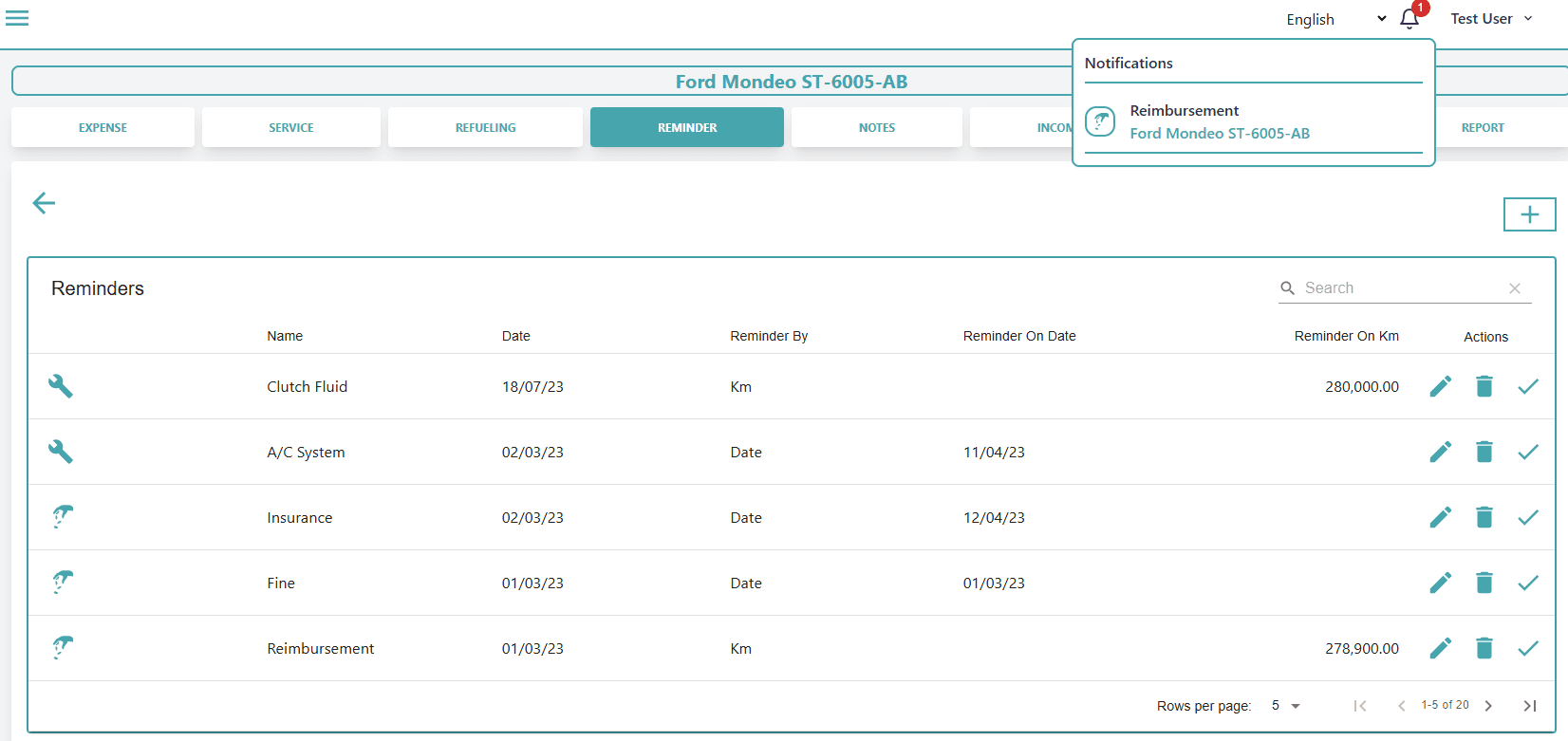
Vehicle reminder management screen

Keep service, registration, and mileage reminders visible

Set date-based or odometer-based reminders so upcoming work is easier to review and act on.
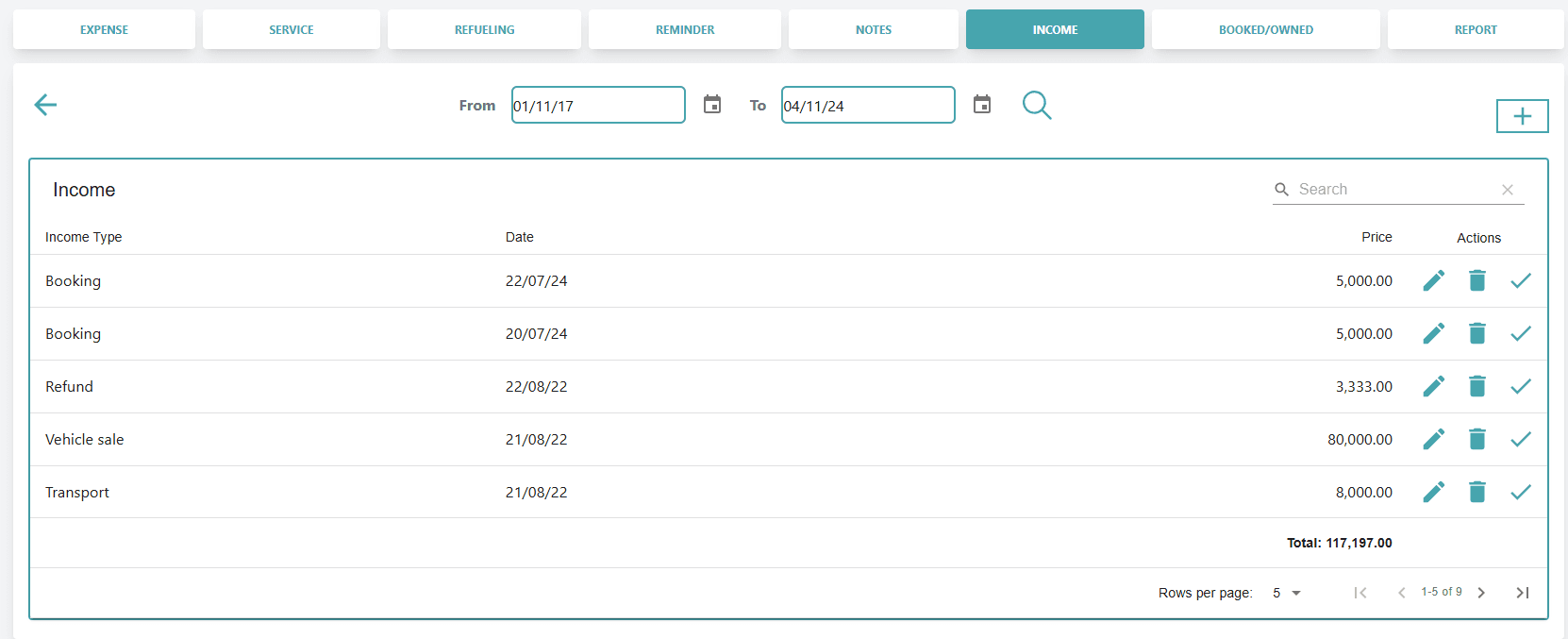
Vehicle income tracking screen

Track vehicle-related income where your plan supports it

Record income from jobs, rentals, reimbursements, bookings, or vehicle sales and review totals by category.
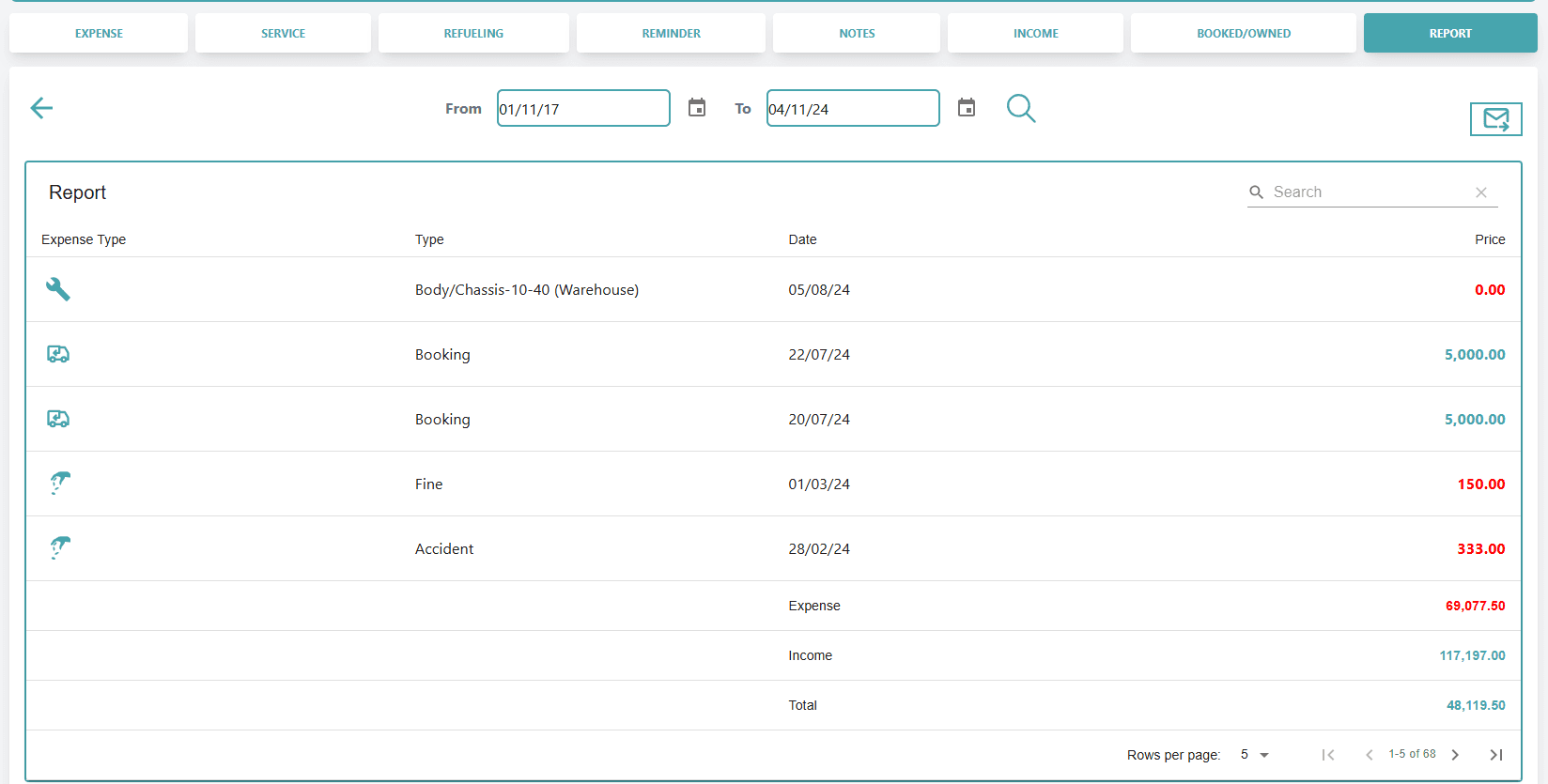
Vehicle reporting dashboard

Review vehicle costs, income, services, and history

Filter reports by date and review the activity that matters for each vehicle and the wider fleet.
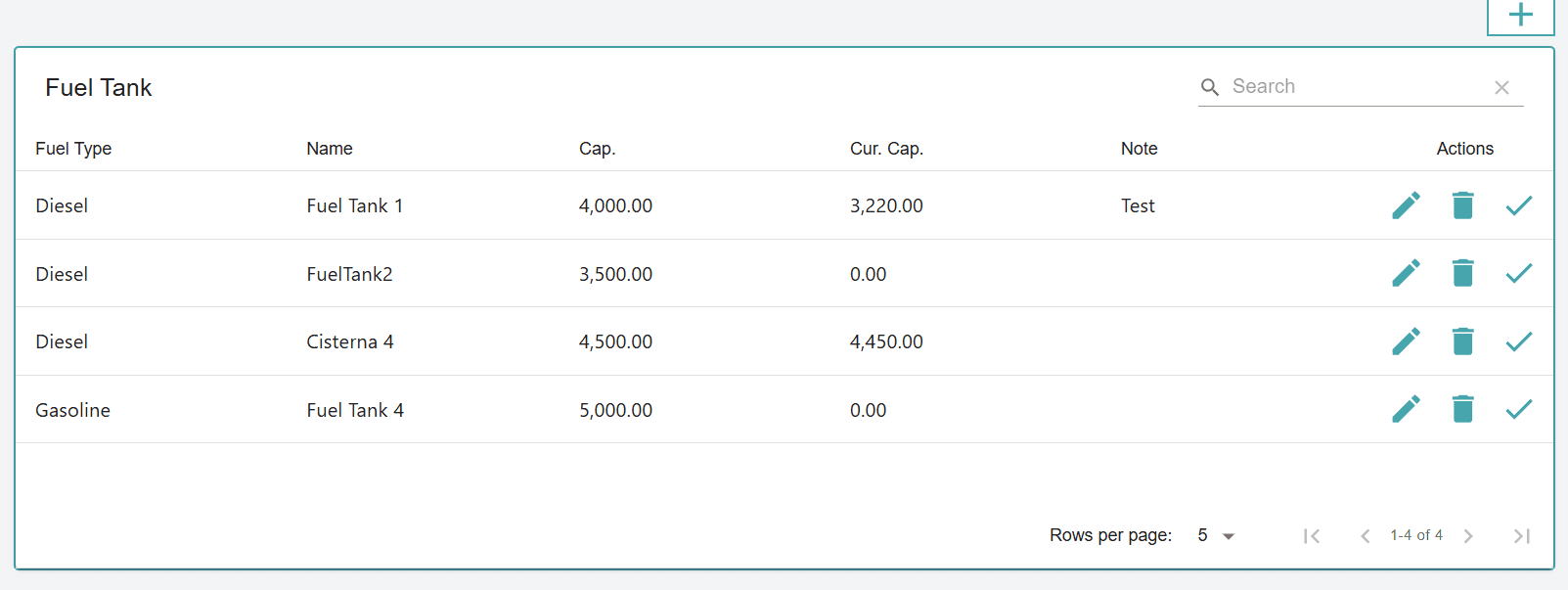
On-site fuel tank tracking screen

Control on-site fuel tank movement

Track fuel purchased into tanks, fuel issued to vehicles, current capacity, and historical movement reports.
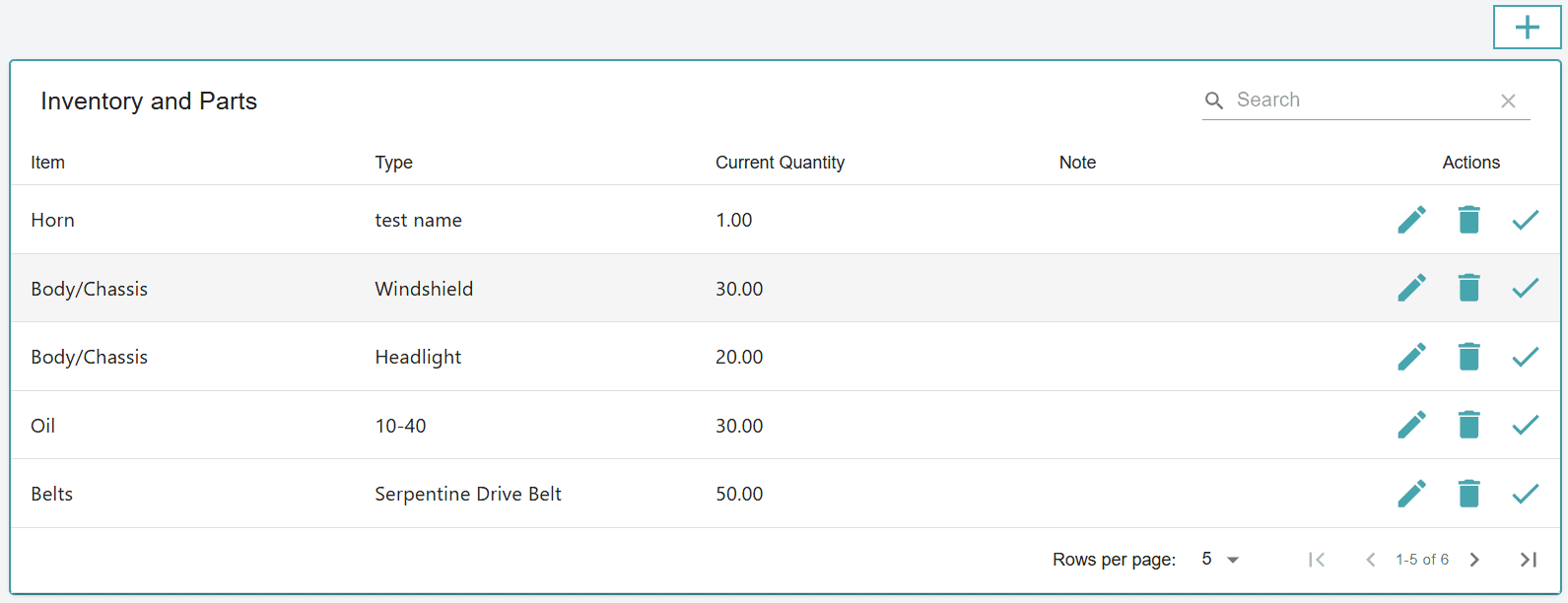
Inventory and parts management screen

Track parts from inventory shelf to vehicle service

Record stock coming in, parts being used, remaining quantity, and the vehicle work where parts were used.

Fleet Management Dashboard and Reports

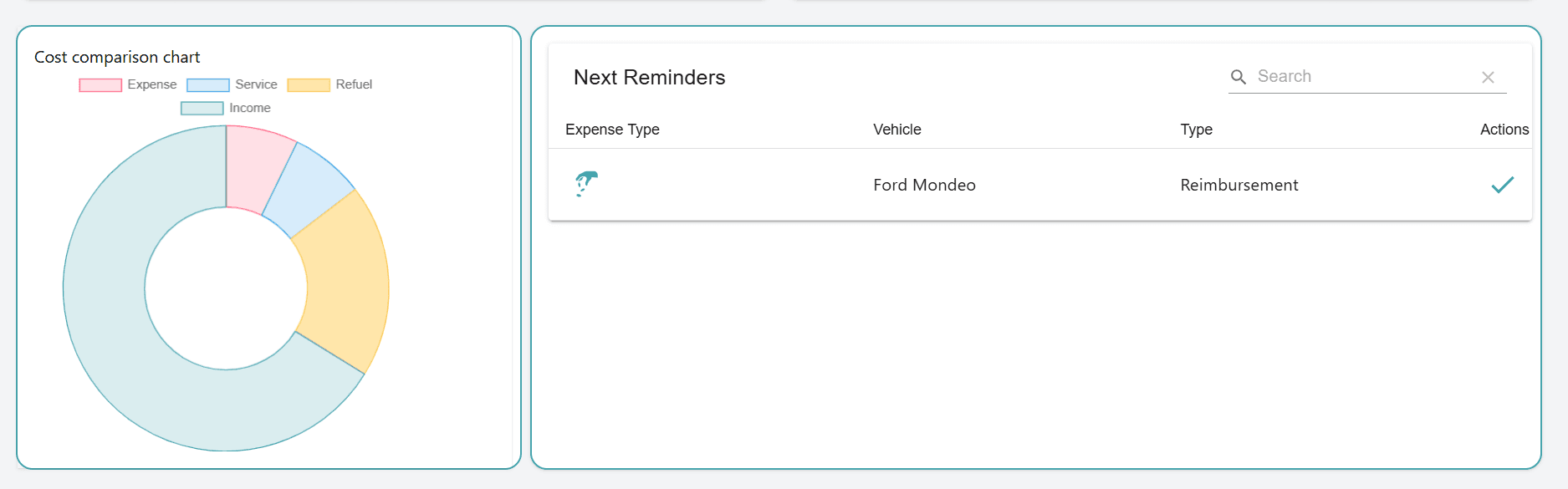
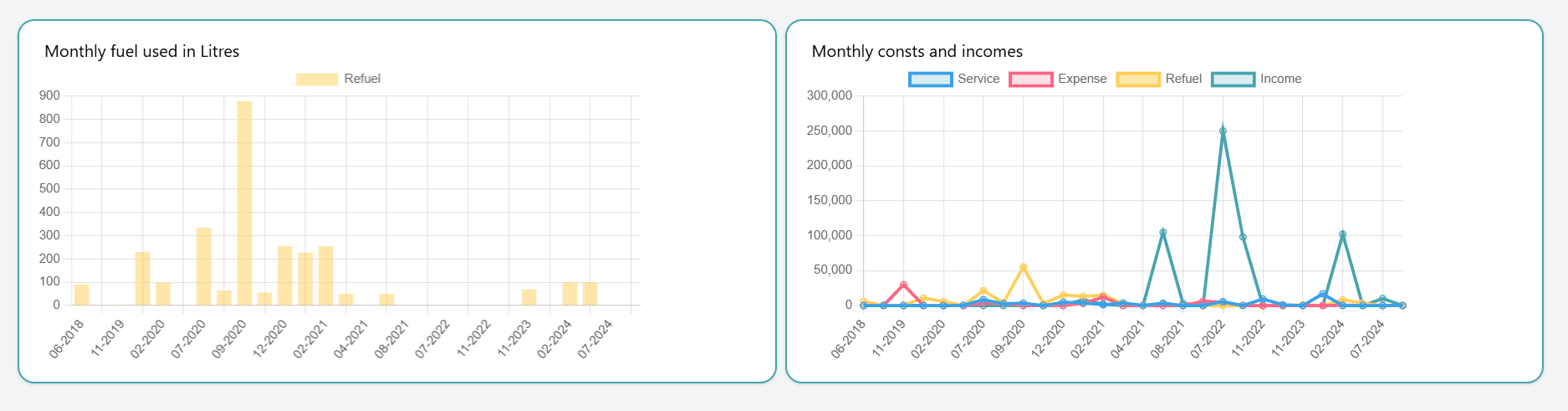
Get an instant overview of your fleet with one dashboard for expenses, services, refuelings, income, fuel usage, and upcoming reminders. Use live totals, charts, and activity history to make faster decisions and keep operations under control.
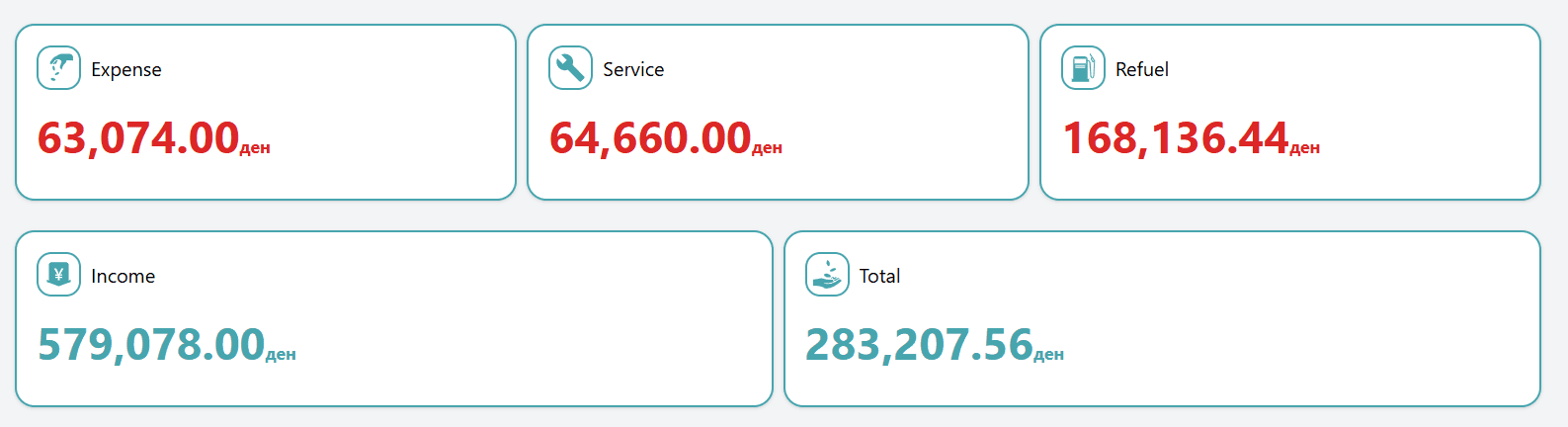
Incomes
  • Total amount spent on expenses, services, and refuelings
  • Total income earned from all sources
Monthly calculation
  • Monthly charts of income vs expenses
  • Fuel usage trends over time
Reminders
  • Upcoming reminders for scheduled services and expenses
  • Cost breakdown by category
Vehicles Report
  • Cost/income breakdown per vehicle
  • Instant view of profit/loss per unit
History for Vehicles
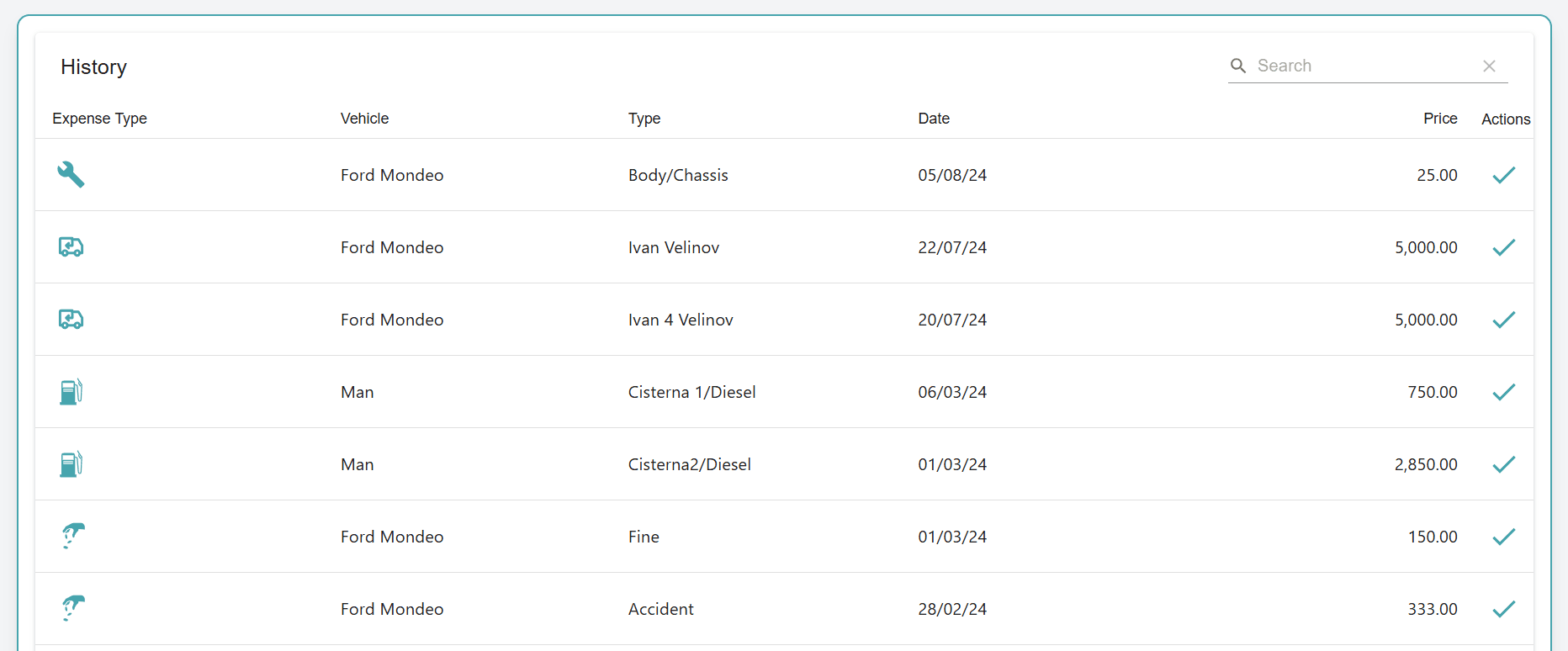
  • Full log of services, refuels, incomes, and costs per vehicle
  • Helps track every change made over time

More dashboard signals for daily fleet decisions

Beyond totals and charts, VeCost brings attention points, performance signals, plan usage, and optional module summaries into one place so teams know what to review next.

Action Center

  • See items that need attention first: reminders, plan compliance, missing activity, and operational warnings.
  • Use the dashboard as a daily starting point instead of searching through every module.

Fleet Cost Overview

  • Review total expenses, services, refuelings, income where supported, and overall result for the selected period.
  • Break costs down by activity type so the biggest spending areas are easier to understand.

Cost trends and drivers

  • Compare current and previous period costs to see whether fleet spending is rising, falling, or stable.
  • Identify the main cost driver and vehicles with the biggest cost increases.

Vehicle Financial Performance

  • Compare total cost, income where enabled, and net result by vehicle.
  • See most profitable, least profitable, or highest-cost vehicles depending on plan features.

Cost per vehicle and distance

  • Review average cost per active vehicle and which vehicles have no cost records.
  • Track cost per distance where mileage data is available, including previous-period comparison.

Maintenance due

  • Surface oil-change and registration due summaries without opening each vehicle one by one.
  • Keep date-based and mileage-based work visible before it turns into an operational problem.

Fleet Data Gaps

  • Find vehicles missing recent activity, service records, costs, mileage, or year data.
  • Use the dashboard to clean up records that would otherwise weaken reports.

Fuel Intelligence

  • Review fuel usage, fuel efficiency, and cost-per-distance context across the fleet.
  • Spot refueling anomalies by severity so unusual fuel events can be reviewed quickly.

Top vehicles and categories

  • See top cost vehicles and top cost categories for the selected period.
  • Focus reviews on the vehicles and spending areas that matter most.

Employee-paid costs

  • Track costs paid by employees for expenses and refuelings where that workflow is used.
  • Review totals, counts, and the employee with the highest recorded paid costs.

Bookings and shared vehicles

  • Review bookings in the selected period, active bookings, returned bookings, upcoming bookings, and overdue returns.
  • See booking income where income tracking is available and identify the most-booked vehicle.

Optional Module Summaries

  • Show On-site Fuel Tank activity when the Fuel Tank module is enabled.
  • Show Inventory & Parts movement, low stock, and period input/output cost when that module is enabled.

Plan and vehicle usage

  • Review active, remaining, archived, and plan-inactive vehicles against the current plan.
  • See plan compliance issues early so limits can be resolved without deleting historical records.

Reports and history

  • Open vehicle reports, fleet history, cost activity, and module reports from the same operating context.
  • Use dashboard signals as a shortcut into deeper reports when something needs investigation.

Manage your entire fleet in one single system

VeCost brings daily fleet operations into one cloud-based system: vehicle costs, service history, refueling, reminders, shared vehicle bookings, employees, optional on-site fuel, optional inventory, and reports.

Expense Tracking

Record vehicle-related costs such as repairs, insurance, tolls, inspections, parking, and other operating expenses. Keep every cost tied to the right vehicle so fleet spending is easier to review.

Service Management

Log oil changes, filter replacements, tire work, repairs, and other services. Build a reliable service history per vehicle and keep maintenance records organized for future review.

Refueling Management

Record refueling events with fuel type, quantity, cost, and odometer information. Review fuel use by vehicle and keep fuel costs connected to the wider vehicle history.

Income Tracking

Where your plan supports it, record vehicle-related income such as rentals, delivery revenue, reimbursements, or transport fees. Compare income with operating costs without turning VeCost into full accounting software.

Reminder System

Create reminders for service, registration, mileage, date-based work, and other operational tasks. Keep upcoming and overdue work visible before it becomes a missed responsibility.

Vehicle Booking

Reserve shared vehicles, track booking dates, know who has a vehicle, and record return information such as odometer readings. Reduce scheduling conflicts and keep usage history centralized.

Comprehensive Reporting

Review vehicle reports, full activity history, cost totals, fuel and service records, income where supported, and module-specific reports for Fuel Tank and Inventory & Parts.

Employees, Roles & Permissions

Give employees access inside the company fleet account without giving everyone full control. Assign roles for drivers, mechanics, accountants, fleet managers, Fuel Tank, or Inventory & Parts responsibilities.

Inventory & Parts (Optional)

Track parts and supplies coming in, parts being used, remaining stock, and item history. Link parts to vehicle service work where applicable so you know what was used and where it went.

On-Site Fuel Tank Management (Optional)

For companies with their own fuel storage, track fuel purchased into tanks, fuel issued to vehicles, tank capacity, remaining balance, and historical movement reports.

Why Fleets Trust VeCost

VeCost helps you take full control of your fleet — saving time, cutting costs, and keeping everything running smoothly.

  • Simple and Intuitive Interface
  • Automates Daily Tasks
  • Reduces Operating Costs
  • Improves Vehicle Reliability
  • Boosts Team Efficiency
  • Keeps Your Fleet Organized
  • Improves Productivity
  • Increases Cost Visibility
  • Smarter Fleet Decisions
  • Better Team Coordination
  • Scales With Your Business
  • Centralized Fleet Records
Explore more benefits

Flexible Fleet Management Pricing

Whether you manage a small business fleet or a larger operation, VeCost pricing is based on your vehicle capacity and the operational modules you need. On-site Fuel Tank and Inventory & Parts modules are available for 20% each of your selected plan price. Additional employee login packages are available on PRO plans when your team needs more access.

New accounts can start on Free and upgrade when they are ready.

Subscription, trial, cancellation, and refund information is summarized in the Terms of Service.

Choose a base plan

Start with the fleet size you need. The main client account owns the company fleet data and stays in control.

Add operational modules

On-site Fuel Tank and Inventory & Parts can be enabled where supported, so you only pay for the operations you run.

Control employee access

Included employee logins are additional to the main client account. PRO plans can add more employee login packages.

Keep records centralized

Vehicles, costs, bookings, reminders, fuel, parts, reports, and history remain under the same business account.

For very small fleets getting started with vehicle cost tracking.
Includes:
  • Up to 2 vehicles
  • Main client account only
  • Expenses, services, and refuelings
  • Reminders and notifications
  • Vehicle history for tracked activity
  • Expense summary by type
  • Reports for core vehicle activity
  • No income tracking or vehicle booking
For small business use with a limited fleet and one employee login.
Includes:
  • Up to 2 vehicles
  • Includes 1 additional employee login
  • Expenses, services, and refuelings
  • Up to 10 income records
  • Reminders and notifications
  • Vehicle booking for small teams
  • Optional paid modules: On-site Fuel Tank, Inventory & Parts
  • Reports and vehicle history
Monthly:15

(€180 / year )

Yearly:153

Frequently asked questions

Find answers about VeCost features, pricing, modules, employee access, booking, reports, and how the software supports business fleet operations.

VeCost is cloud-based fleet and vehicle operations software for small and mid-sized businesses. It helps you organize vehicle costs, services, refueling, reminders, bookings, employees, optional on-site fuel tanks, optional inventory, and reports in one company account.
No. VeCost supports very small fleets through the Free and Commercial plans, and larger fleets through PRO plans up to 100 vehicles. The main focus is business fleet management rather than personal car tracking.
The Free plan supports up to 2 vehicles for the main client account. It includes core records such as expenses, services, refuelings, reminders, vehicle history, expense summaries, and reports, but it does not include employee logins, income tracking, or booking.
Commercial is for a small business setup with up to 2 vehicles, 1 additional employee login, limited income tracking, limited booking, and optional paid Fuel Tank or Inventory & Parts modules. PRO plans are built for larger fleets, include more additional employee logins, support unlimited income and booking, offer optional paid Fuel Tank and Inventory & Parts modules, and allow employee login add-on packages.
On-site Fuel Tank helps companies track fuel purchased into their own tanks, fuel issued to vehicles, tank capacity, balances, and movement history. Inventory & Parts helps track parts coming in, parts being used, remaining stock, and history tied to fleet maintenance.
Yes. Paid base plans can include additional employee logins. Employee users work inside the company's fleet account, so the company keeps records centralized while employees perform their assigned responsibilities. Extra employee login add-on packages are available on PRO plans.
Yes. VeCost supports role-based access and permissions. You can give different responsibilities to roles such as drivers, mechanics, accountants, fleet managers, Fuel Tank users, or Inventory & Parts users without giving everyone full account control.
Yes, where your plan supports it. Booking helps teams reserve shared vehicles, track booking dates, know who has a vehicle, record return information such as odometer readings, and keep usage history organized.
VeCost supports reports and history for vehicle activity such as expenses, services, refuelings, income where permitted, and broader fleet activity. Fuel Tank and Inventory & Parts also have their own reporting views where those modules are enabled.
No. VeCost is web-based and can be accessed from a browser. Your fleet records stay centralized under your company account.
Trial eligibility is available for new accounts during the registration window. After that, users can continue on Free or upgrade to a paid plan when they are ready.
The current self-service PRO100 plan supports up to 100 vehicles. If your fleet is larger than that, contact the VeCost team through the demo form so we can discuss the right setup.

Review the Terms, Privacy Policy, and Cookie Policy for current trust and legal draft details.

Book a Demo

Book a demo for a practical walkthrough of how VeCost can help organize vehicles, costs, employees, modules, reports, and daily fleet operations.

See how VeCost fits your fleet

Walk through the workflows that matter for your business: vehicle records, service history, reminders, bookings, employee access, optional Fuel Tank, optional Inventory & Parts, and reporting.

  • A guided walkthrough of Vehicles, On-site Fuel Tank, and Inventory & Parts where those modules fit your operation.
  • Hands-on insights into tracking expenses, refueling, service history, reminders, bookings, and reporting.
  • A discussion about plan fit, employee logins, permissions, and optional modules.
  • Real-time demonstration of how to automate reminders for vehicle maintenance, registration, mileage, and service work.
  • Explore reporting for vehicle activity, costs, history, Fuel Tank, and Inventory & Parts where enabled.
  • Live Q&A session to address any questions and specific use cases.

Ready to review your fleet workflow? Book a demo and we will walk through the setup with you.

By submitting this form, you agree that VeCost may use your details to respond to your demo request. See the Privacy Policy.

VeCost logo
AboutPrivacyTermsCookies

© 2026 VeCost. All rights reserved.